
Deadly Days: Roadtrip Space Shuttle: Find and Unlock
Find the Deadly Days: Roadtrip space shuttle, complete its defense event, and learn how the Space Suit and Astronaut armor-to-crit bonus fit your next run.
Jump to

Where to Find the Space Shuttle
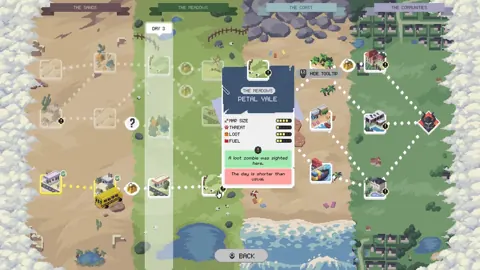
The Deadly Days: Roadtrip space shuttle gives you a specific reason to hunt for special encounters: unlocking the Space Suit. Look for a shuttle-designated map on your route, then check its minimap for a question mark. Your objective is to find and defend the shuttle.
Prioritize the map’s encounter designation over its biome name. Older searches focused on canyon maps, desert environments, and Pinecrest Valley, but Update 0.18 removed shuttle appearances from maps that weren’t designated for the event. Chasing a particular landscape alone can send you through the wrong stops.
Keep the route map and minimap separate in your search:
- On the route map: Look for the shuttle encounter when choosing your next destination.
- Inside the stage: Investigate the question-mark marker to locate the event.
- At the shuttle: Follow the find-and-defend objective through completion.
Search during a normal road trip. Update 0.18 also fixed shuttle events appearing in Endless Mode, so extending a run into Endless is the wrong way to hunt this unlock.
Official page: Deadly Days: Roadtrip (store.steampowered.com)
How to Prepare for the Defense Event
Bring a functioning build before committing to the encounter. Your backpack arrangement matters: adjacent items can strengthen weapons, and merging matching equipment creates stronger versions. Arrange your damage bonuses before taking on the defense objective.
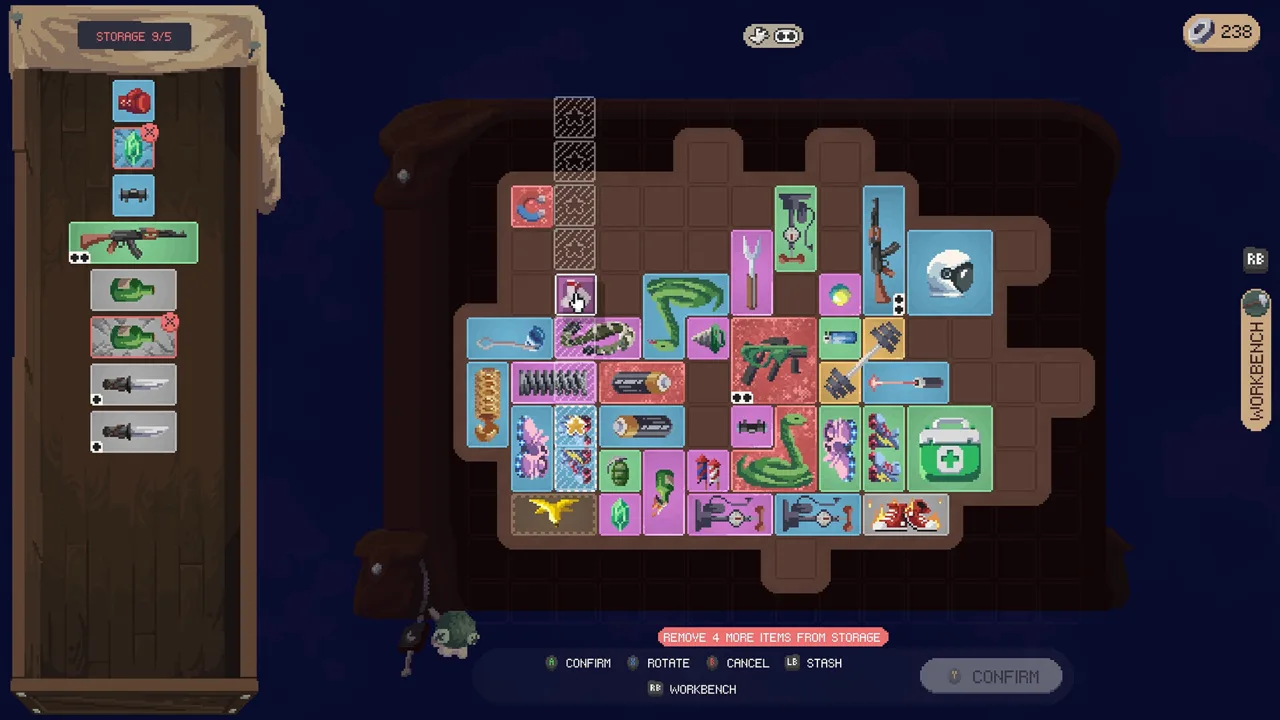 Image: Steam / Pixelsplit
Clear nearby zombies and leave yourself room to move. Keep attacking approaching enemies while following the event objective, rather than getting distracted by distant loot.
For extra preparation, grab coffee at base before starting the run. It increases movement and looting speed and makes days longer. Use that extra mobility to help manage the surrounding horde.
Once you finish defending the shuttle, collect the Space Suit reward. Continue gathering the fuel needed for your bus, then extract when you’re ready. Finding the shuttle doesn’t replace the stage’s fuel requirement.
Space Suit and Astronaut Armor Mechanics
The Space Suit adds armor with a movement penalty attached. Each armor point absorbs one hit, and armor regenerates when a new day begins. The Astronaut starts with a Space Suit and a pistol, giving you an immediate armor-focused loadout.
 Image: PlayStation Store
Version 1.0 changed the Astronaut’s +Crit per Armor bonus to 3% per armor per rank, while fixing ranks 2 and 3 so they actually apply.
| Effect | Value or behavior |
|---|---|
| Space Suit armor | Adds 3 armor |
| Armor protection | Each armor negates one hit |
| Movement penalty | Movement speed reduced by 3% per armor |
| Armor recovery | Regenerates when starting a new day |
| Astronaut: +Crit per Armor | 3% per armor per rank in Version 1.0 |
Build around that tradeoff deliberately. Leave room for movement support instead of filling every available slot with damage equipment. Armor gives you protection, but the speed penalty makes positioning more demanding.
For armor recovery during combat, consider the Shield Generator. It restores one armor every 10 seconds, but taking damage resets the timer. Avoid unnecessary hits to give that recovery a chance to trigger.
Why Older Shuttle Directions Can Send You Astray
Early Access shuttle directions changed as the encounter received fixes. Instructions to search military-base icons or repeatedly choose canyon maps come from an earlier version of its placement behavior.
 Image: Steam / Pixelsplit
Update 0.18 made several relevant changes:
- Removed shuttles from maps without the shuttle designation.
- Fixed shuttle events appearing in Endless Mode.
- Fixed the question-mark marker remaining after the encounter’s loot spot was looted.
- Corrected shuttle loot spots being looted too quickly.
Use the designated encounter map and its in-stage marker as your search priorities. Once the event is complete, move on to your remaining fuel and loot objectives instead of continuing to search the same stage.
Continue with
 Deadly Days: Roadtrip Death Guide: Survive the ReaperUse this Deadly Days: Roadtrip death guide to plan your escape, understand revive items, and avoid losing a promising run to the Reaper or a zombie horde.
More in Encounters

Deadly Days: Roadtrip Pumpkin Field: Carver Unlock Guide
Find the Deadly Days: Roadtrip pumpkin field, keep Fresh Pumpkin beside a knife, and unlock The Carver. Learn the map cues and avoid losing your pumpkin.

Deadly Days: Roadtrip Shady Merchant Unlocks & Items
Find the Deadly Days: Roadtrip shady merchant, learn his unlock and 1.0 spawn rules, and weigh powerful cursed items against their dangerous trade-offs.
Continue exploring

Deadly Days: Roadtrip Sheriff Reload Build: Gear Guide
Deadly Days: Roadtrip sheriff reload build guide: pair revolvers with Sheriff Star, boost attack rate, shorten reloads, and make room for speed upgrades.

Deadly Days: Roadtrip Astronaut Unlock: Shuttle Guide
Deadly Days: Roadtrip astronaut unlock explained: find the canyon shuttle map, clear the shuttle event before Endless Mode, and see how armor boosts crits.
Join the community
Official channels for news, updates and player help: